

Appearance
Config Intro
Config Files 🤝 Config GUI
Pianola applications are configured with the following two files:
- schema.json
- app.json
The schema.json file describes the database schema of the application, whereas the app.json file determines how the components are placed in the interface of the user-facing application. Both files are located under /config/pianola in the app's folder structure.
The files are just plain JSON, and as such they are human-readable and could in theory also be edited in a text editor (you can read more about the underlying syntax tree and the precise JSON structure in later sections).
However, given the complexity of the configuration options for each file, Pianola offers a configuration builder within the graphical interface of the application itself:
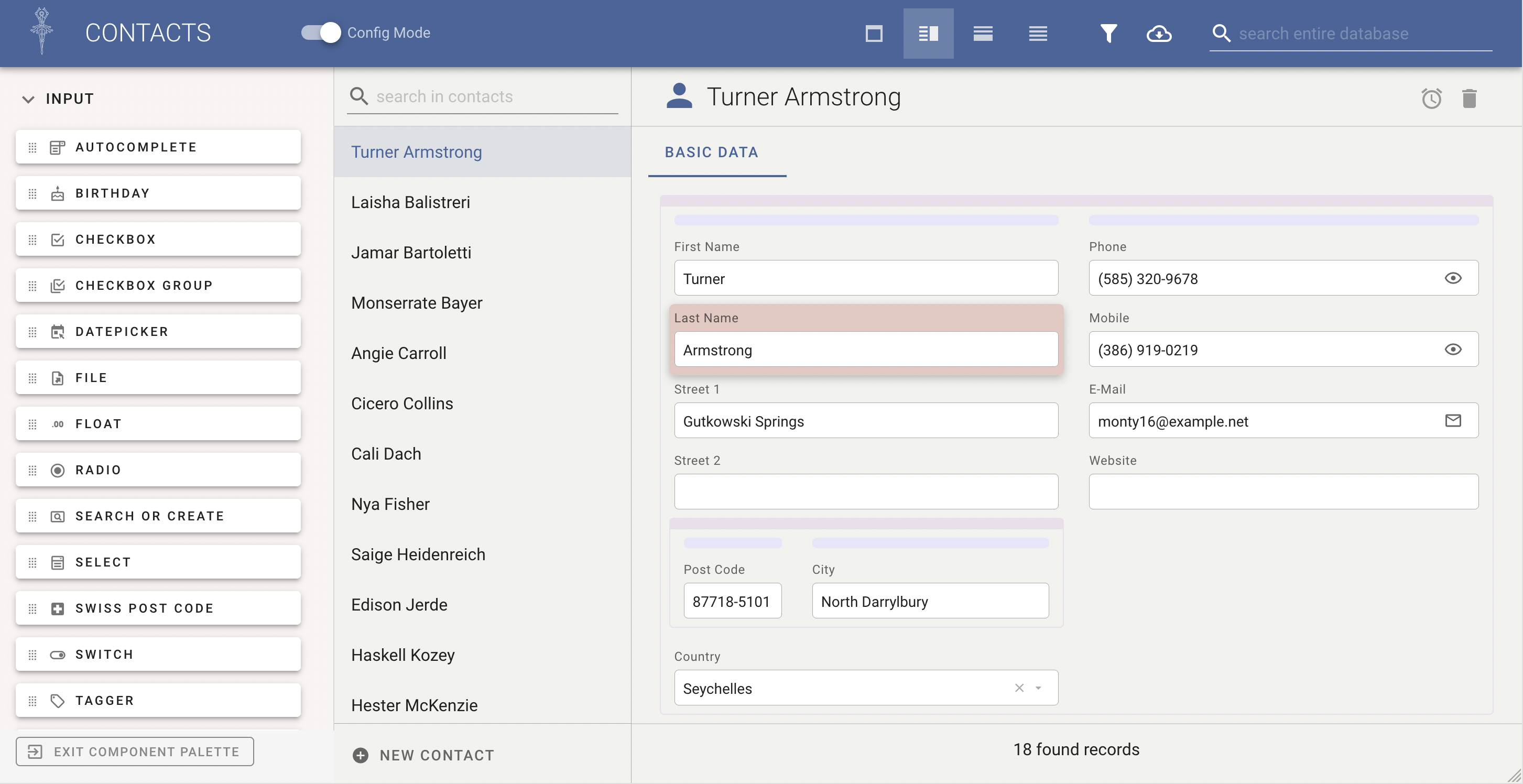
Any changes made in the graphical configuration builder are immediately stored in the configuration files.
This approach has the following advantages:
Close to the Final Paradigm
Given that the configuration is handled in the same screen as the application itself, the configuration is close to the paradigm of the final product. This allows for joint configuration sessions with clients.
In theory, much of the application can be built with the client accompanying the process, as less work needs to be done in coding languages unintelligible to outsiders.
Organised Configuration
Configuration options are organised in a logical way, which makes finding and implementing changes easier.
The developer does not need to find his or her way around a JSON file and remember or look up all the configuration options.
Version Control
Given that all changes are propagated to the relevant JSON file, any changes made in the configuration options can be version-controlled.
It is strongly recommended that you make use of all the benefits of version control, and regularly commit any changes made to the configurations, so it is easier to back-track to earlier configurations if necessary.